Hiring, in one place.From first CV to signed offer.
CanDesks gives your team a careers site in your brand, screening that scores every CV, and a workflow for every application that recruiters and hiring managers share.
- Careers site on your domain
- Sign in with Microsoft
- Each company's data kept separate
Product
Everything your hiring team touches, on the same candidate.
Recruiters, hiring managers and interviewers each see the part they need, and nobody works from a copy.
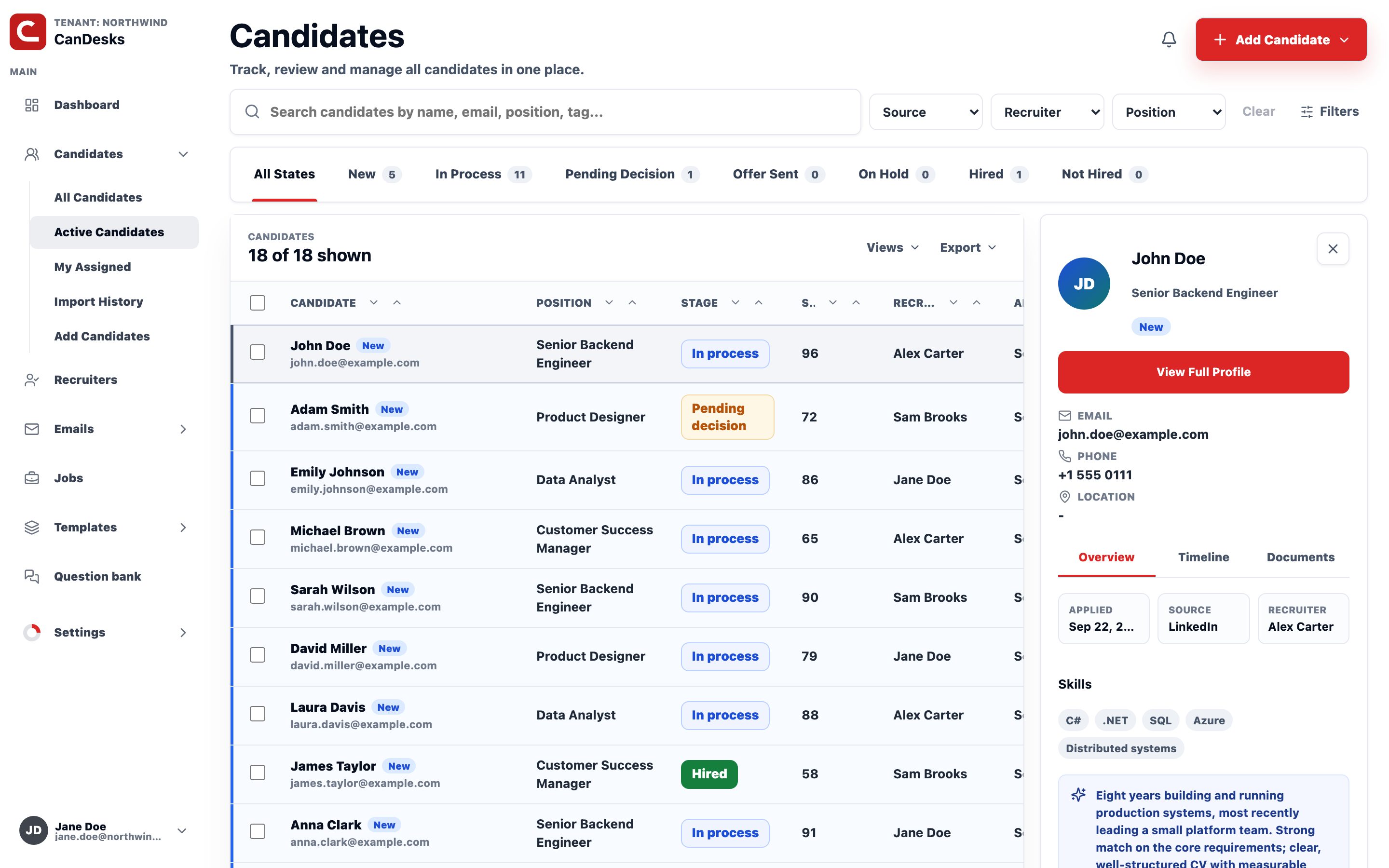
A workflow for every application
New, screening, interviews, decision, offer, hired. Someone who applies to two roles is tracked in both, each at its own stage.
Screening with a match score
Every application is scored against the role, and the score sits on the application it belongs to.
Interviews and scorecards
Structured feedback from every interviewer and a shared question bank, so candidates are compared on the same terms.
Email from your own mailbox
Send from your team's Microsoft 365 mailbox with reusable templates, and keep the thread on the candidate.
Referrals and internal moves
Staff refer people they know and apply for internal roles from their own portal.
See where every role stands
Applications, stages and recruiter activity over the period you choose, so “how is that role going?” has an answer before the meeting.
A careers site in your brand
Your logo, colours, wording and domain. Preview a draft before anything goes live.
How it works
From posting to offer, one record the whole way.
Publish the role
Write the job once. It goes live on your careers site with the application form you set up.
Candidates apply
No account to create. A CV and the questions you asked, and they're in your pipeline.
Screen
Every application gets a match score against the role, so the strongest CVs are read first.
Interview
Schedule interviews and collect a scorecard from everyone on the panel.
Decide and hire
The hiring manager decides on the same record, and the offer follows from there.
Careers sites
A careers page that looks like you, not like us.
Candidates meet your brand from the first click. Each role gets its own page and its own application form, and every application lands straight in your pipeline.
- Your domain, logo, colours and fonts
- Draft changes and preview them before publishing
- The questions you need on each application form
- Optionally listed on CanDesks Jobs for extra reach
Looking for your next role? Start here.
Browse open roles from companies hiring on CanDesks, then apply on their own careers page.
Who is CanDesks for?
Companies with a recruiting team and hiring managers who need to work from the same record, from the first application to the signed offer.
Can our careers site use our own domain?
Yes. Your careers site can live on a domain like careers.yourcompany.com, with your logo and colours. Until you connect one, it is at candesks.com/careers/your-company.
Do candidates need an account to apply?
No. Candidates apply straight from the job page, with a CV and whatever questions you set up for that role.
How does my team sign in?
With their Microsoft work account. Email goes out through your own Microsoft 365 mailbox, not a no-reply address.
Is our data kept separate from other companies?
Yes. Every company on CanDesks is its own tenant, and candidates, jobs and feedback are scoped to it.
What is CanDesks Jobs?
A public list of open roles from companies hiring on CanDesks. Listing is opt-in, and every role links to the company's own careers page to apply.
Bring your hiring into one place.
Tell us how your team hires today, and we'll show you what it looks like on CanDesks.